qttabbar
Trending News || qttabbar
Hot Topics
Most Read
Most Discussed || qttabbar
Featured
Recent News
Categories
qttabbar
QTTabBar: The Ultimate Guide to Tabbed File Management in Windows
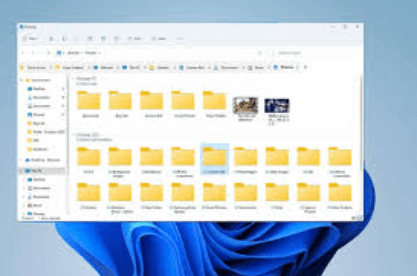
Introduction
Managing files efficiently is essential for productivity, especially for professionals, developers, and power users who frequently navigate multiple folders in Windows. Unfortunately, the default Windows File Explorer historically lacked one major feature that users expect from modern interfaces: tabbed browsing.
This is where QTTabBar comes in.
QTTabBar is a free and open-source Windows Explorer extension that adds tabs and advanced navigation tools to the Windows File Explorer, making file management faster and more organized.
Instead of opening dozens of separate windows, users can manage multiple folders within a single Explorer window—just like browser tabs in Chrome or Firefox.
In this comprehensive guide, we will explore:
- What QTTabBar is
- Key features and benefits
- How it improves productivity
- Installation and setup
- Practical use cases
- Pros and limitations
By the end, you will understand why many Windows power users consider QTTabBar one of the best Explorer enhancements available.
What Is QTTabBar?
QTTabBar is a shell extension for Windows Explorer that adds tabbed browsing and several productivity tools to the native file manager.
Originally developed by QuizoApps, the tool integrates directly into File Explorer and provides features such as:
- Folder tabs
- Preview panels
- Customizable toolbars
- Navigation shortcuts
- Plugin support
The main purpose of QTTabBar is to improve file navigation efficiency and reduce clutter caused by multiple Explorer windows.
Instead of switching between windows, users can open multiple folders in tabs within a single interface.
Why QTTabBar Is Popular Among Windows Power Users
Many Windows users rely on third-party file managers like Directory Opus or Total Commander. However, QTTabBar provides powerful functionality without replacing File Explorer.
This makes it attractive for users who want enhanced features while still using the familiar Windows interface.
Key reasons for its popularity include:
- Lightweight and free
- Open-source software
- Seamless integration with Explorer
- Highly customizable interface
- Plugin-based functionality
Because it works directly within File Explorer, the learning curve is minimal.
Key Features of QTTabBar
1. Tabbed Browsing for File Explorer
The most important feature of QTTabBar is tabbed folder navigation.
Users can open multiple directories as tabs within one Explorer window—similar to web browsers.
Benefits include:
- Faster navigation between folders
- Reduced screen clutter
- Easier file comparison
For example, instead of opening five separate windows, you can simply use five tabs.
2. Customizable Toolbars
QTTabBar adds extra toolbars with shortcuts and commands.
These toolbars allow quick access to:
- Frequently used folders
- System directories
- File operations
- External applications
Users can also customize the toolbar layout and remove buttons they don’t need.
3. Folder Preview and File Preview
Another powerful feature is quick preview panels.
Users can preview files without opening them in separate programs.
Supported previews include:
- Text files
- Images
- Documents
- Media files
This makes it easier to quickly check file contents before opening them.
4. Folder Groups
QTTabBar allows users to group multiple folders together.
For example:
Work Group
- Documents
- Projects
- Reports
Media Group
- Music
- Videos
- Images
With one click, you can open all folders in a group as tabs.
This feature is particularly useful for:
- Developers
- Designers
- Researchers
- Content creators
5. Advanced Navigation Options
QTTabBar enhances navigation with several useful tools:
Navigation enhancements include:
- Recently visited folders list
- Breadcrumb navigation improvements
- Tree view panels
- Quick folder switching
These tools allow users to move between directories faster.
6. Plugin Support
QTTabBar supports plugins that add additional functionality.
Examples include:
- Clipboard tools
- File operation utilities
- Custom commands
- Tab management plugins
This modular approach allows users to extend the software based on their needs.
How QTTabBar Improves Productivity
Efficient file management saves time—especially for professionals who handle large amounts of data.
QTTabBar improves productivity in several ways.
1. Fewer Explorer Windows
Instead of opening multiple windows, everything stays inside tabs.
This reduces:
- Desktop clutter
- Window switching
- Workflow interruptions
2. Faster Folder Navigation
Quick access features make it easier to move through complex folder structures.
For example:
- Jump between tabs instantly
- Use shortcut keys
- Access recent folders
3. Improved File Organization
Grouping folders and using tab management tools helps maintain better organization.
Users can:
- Lock important tabs
- Duplicate tabs
- Restore closed tabs
How to Install QTTabBar
Installing QTTabBar is relatively simple.
Step 1: Download the Software
Download the installer from a trusted source such as GitHub or SourceForge.
QTTabBar is completely free and open source.
Step 2: Run the Setup Wizard
Launch the installer and follow the instructions.
The installation process usually takes less than a minute.
Step 3: Enable QTTabBar
After installation:
- Open File Explorer
- Right-click the toolbar area
- Enable QTTabBar
Once enabled, the tab bar will appear in Explorer.
Step 4: Configure Settings
Users can customize:
- Tab appearance
- Toolbar layout
- Shortcut keys
- Plugin features
These options can be accessed via QTTabBar Options inside File Explorer.
Practical Use Cases for QTTabBar
QTTabBar is useful for many types of users.
Developers
Developers often work with multiple project folders.
Tabs allow quick switching between:
- Source code
- Build files
- Documentation
Designers
Designers managing images, assets, and exports can benefit from tabbed navigation.
For example:
- Assets folder
- Export folder
- Reference images
Content Creators
Video editors and photographers can preview files and organize media quickly.
Researchers
Researchers working with multiple datasets can easily compare folders.
Advantages of QTTabBar
Here are some of the biggest advantages of using QTTabBar.
Key benefits
- Free and open-source
- Seamless integration with Windows Explorer
- Lightweight and efficient
- Highly customizable
- Supports plugins
- Improves workflow efficiency
Potential Limitations
While QTTabBar is powerful, it also has some limitations.
Possible drawbacks
- Interface may feel outdated
- Requires manual configuration
- Compatibility issues with some Windows updates
- Learning curve for advanced features
However, most users find the productivity benefits outweigh these issues.
QTTabBar vs Other File Explorer Enhancements
Some alternatives include:
- Directory Opus
- Total Commander
- XYplorer
Compared to these tools:
| Feature | QTTabBar | Alternatives |
|---|---|---|
| Price | Free | Often Paid |
| Integration | Native Explorer | Separate File Manager |
| Customization | High | Very High |
| Ease of Use | Moderate | Moderate |
QTTabBar stands out because it enhances Explorer rather than replacing it.
The Future of QTTabBar
Recent community updates continue improving compatibility with modern Windows versions.
The open-source community has contributed features such as:
- Dark mode support
- Language localization
- Bug fixes
- Plugin improvements
Because of community development, QTTabBar remains relevant even as Windows evolves.
Conclusion
QTTabBar is one of the most powerful productivity tools available for Windows users who frequently manage files.
By introducing tabbed browsing, customizable toolbars, previews, and advanced navigation, it transforms the traditional File Explorer into a much more capable tool.
For professionals, developers, and everyday users alike, QTTabBar offers a simple yet effective way to improve workflow efficiency.
If you often work with multiple folders and want a faster way to navigate them, QTTabBar is definitely worth trying.